Thursday, June 10, 2021

API to Create Element & Retro Components

  • Below are the sequence of steps to create Element and its Retro Components

    1. API to Create Element Type & Parent Element
    2. API to Create Element Type for Retro & Child Element
    3. API to Create Retro Component Usage
    4. API to Create Element Span Usages


  • API to Create Element Type & Parent Element

DECLARE

   l_classification_id                 NUMBER := NULL;

   l_event_group_id                NUMBER := NULL;

   l_formula_id                        NUMBER := NULL;

   l_element_name                  VARCHAR2 (500) := 'Misc Allowance';

   l_element_type_id               NUMBER := NULL;

   l_effective_start_date          DATE := NULL;

   l_effective_end_date            DATE := NULL;

   l_object_version_number         NUMBER := NULL;

   l_comment_id                        NUMBER := NULL;

   l_processing_priority_warning   BOOLEAN := NULL;

BEGIN

   SELECT classification_id

     INTO l_classification_id

     FROM pay_element_classifications

    WHERE UPPER (classification_name) = 'EARNINGS'

          AND legislation_code = 'US';


   SELECT event_group_id

     INTO l_event_group_id

     FROM pay_event_groups

    WHERE UPPER (event_group_name) = 'ENTRY CHANGES';


   SELECT formula_id

     INTO l_formula_id

     FROM ff_formulas_f

    WHERE formula_name = 'US_ONCE_EACH_PERIOD';


   pay_element_types_api.

    create_element_type (

      p_validate                       => FALSE,

      p_effective_date                 => TO_DATE ('01-JAN-2020', 'DD-MON-YYYY'),

      p_classification_id              => l_classification_id,

      p_element_name                   => l_element_name,

      p_input_currency_code            => 'USD',

      p_output_currency_code           => 'USD',

      p_multiple_entries_allowed_fla   => 'N',

      p_processing_type                => 'N' ,

    --N -> Non Recurring

     --R -> Recurring                               

      p_business_group_id              => 101,

      p_legislation_code               => NULL,

      p_formula_id                     => l_formula_id,

      p_reporting_name                 => l_element_name,

      p_description                    => l_element_name,

      p_recalc_event_group_id          => l_event_group_id,

      p_element_type_id                => l_element_type_id,

      p_effective_start_date           => l_effective_start_date,

      p_effective_end_date             => l_effective_end_date,

      p_object_version_number          => l_object_version_number,

      p_comment_id                     => l_comment_id,

      p_processing_priority_warning    => l_processing_priority_warning

    );

   COMMIT;

   DBMS_OUTPUT.put_line (l_element_type_id || ' has been created Successfully !!!');

EXCEPTION

   WHEN OTHERS

   THEN

      DBMS_OUTPUT.put_line ('Main Exception: ' || SQLERRM);

END;


  • API to Create Element Type for Retro & Child Element


DECLARE

   l_classification_id             NUMBER := NULL;

   l_event_group_id                NUMBER := NULL;

   l_formula_id                    NUMBER := NULL;

   l_element_name                  VARCHAR2 (500) := 'Misc Allowance Retro';

   l_element_type_id               NUMBER := NULL;

   l_effective_start_date          DATE := NULL;

   l_effective_end_date            DATE := NULL;

   l_object_version_number         NUMBER := NULL;

   l_comment_id                    NUMBER := NULL;

   l_processing_priority_warning   BOOLEAN := NULL;

BEGIN

   SELECT classification_id

     INTO l_classification_id

     FROM pay_element_classifications

    WHERE UPPER (classification_name) = 'EARNINGS'

          AND legislation_code = 'US';


   SELECT formula_id

     INTO l_formula_id

     FROM ff_formulas_f

    WHERE formula_name = 'US_ONCE_EACH_PERIOD';


   pay_element_types_api.

    create_element_type (

      p_validate                       => FALSE,

      p_effective_date                 => TO_DATE ('01-JAN-2020', 'DD-MON-YYYY'),

      p_classification_id              => l_classification_id,

      p_element_name                   => l_element_name,

      p_input_currency_code            => 'USD',

      p_output_currency_code           => 'USD',

      p_multiple_entries_allowed_fla   => 'N',

      p_processing_type                => 'N' ,

        --N -> Non Recurring 

        --R -> Recurring                                          

      p_business_group_id              => 101,

      p_legislation_code               => NULL,

      p_formula_id                     => l_formula_id,

      p_reporting_name                 => l_element_name,

      p_description                    => l_element_name,

      p_recalc_event_group_id          => l_event_group_id,

      p_element_type_id                => l_element_type_id,

      p_effective_start_date           => l_effective_start_date,

      p_effective_end_date             => l_effective_end_date,

      p_object_version_number          => l_object_version_number,

      p_comment_id                     => l_comment_id,

      p_processing_priority_warning    => l_processing_priority_warning);

   COMMIT;

   DBMS_OUTPUT.put_line (l_element_type_id || ' has been created Successfully !!!');

EXCEPTION

   WHEN OTHERS

   THEN

      DBMS_OUTPUT.put_line ('Main Exception: ' || SQLERRM);

END;

  • API to Create Retro Component Usage

DECLARE

   l_retro_component_id         NUMBER := NULL;

   l_element_type_id            NUMBER := NULL;

   l_reprocess_type             VARCHAR2 (50) := NULL;

   l_retro_component_usage_id   NUMBER := NULL;

   l_object_version_number      NUMBER := NULL;

BEGIN

   SELECT retro_component_id

     INTO l_retro_component_id

     FROM pay_retro_components

    WHERE UPPER (short_name) = 'STANDARD';


   SELECT element_type_id

     INTO l_element_type_id

     FROM pay_element_types_f

    WHERE UPPER (element_name) = 'MISC ALLOWANCE';


   SELECT hl.lookup_code

     INTO l_reprocess_type

     FROM hr_lookups hl

    WHERE hl.lookup_type = 'RETRO_REPROCESS_TYPE'

          AND UPPER (hl.meaning) = 'REPROCESS';


   PAY_RCU_INS.

    ins (p_effective_date             => TO_DATE ('01-JAN-2020', 'DD-MON-YYYY'),

         p_retro_component_id         => l_retro_component_id,

         p_creator_id                 => l_element_type_id,

         p_creator_type               => 'ET',

         p_default_component          => 'Y',

         p_reprocess_type             => l_reprocess_type,

         p_business_group_id          => 101,

         p_retro_component_usage_id   => l_retro_component_usage_id,

         p_object_version_number      => l_object_version_number,

         p_replace_run_flag           => 'N',

         p_use_override_dates         => 'N'

        );

   COMMIT;

   DBMS_OUTPUT.put_line (

      l_retro_component_usage_id || ' has been created Successfully !!!');

EXCEPTION

   WHEN OTHERS

   THEN

      DBMS_OUTPUT.put_line ('Main Exception: ' || SQLERRM);

END;

  • API to Create Element Span Usages


DECLARE

   l_time_span_id               NUMBER := NULL;

   l_retro_component_usage_id   NUMBER := NULL;

   l_retro_element_type_id      NUMBER := NULL;

   l_element_span_usage_id      NUMBER := NULL;

   l_object_version_number      NUMBER := NULL;

BEGIN

   SELECT time_span_id

     INTO l_time_span_id

     FROM pay_time_spans

    WHERE CREATOR_ID = 1;


   SELECT prcu.retro_component_usage_id

     INTO l_retro_component_usage_id

     FROM pay_retro_component_usages prcu, pay_element_types_f petf

    WHERE petf.element_type_id = prcu.creator_id

          AND UPPER (petf.element_name) = 'MISC ALLOWANCE';


   SELECT petf.element_type_id

     INTO l_retro_element_type_id

     FROM pay_element_types_f petf

    WHERE UPPER (petf.element_name) = 'MISC ALLOWANCE RETRO';


   PAY_ESU_INS.

    ins (p_effective_date             => TO_DATE ('01-JAN-2020', 'DD-MON-YYYY'),

         p_time_span_id               => l_time_span_id,

         p_retro_component_usage_id   => l_retro_component_usage_id,

         p_retro_element_type_id      => l_retro_element_type_id,

         p_business_group_id          => 101,

         p_element_span_usage_id      => l_element_span_usage_id,

         p_object_version_number      => l_object_version_number);

   COMMIT;

   DBMS_OUTPUT.put_line (

      l_retro_component_usage_id || ' has been created Successfully !!!');

EXCEPTION

   WHEN OTHERS

   THEN

      DBMS_OUTPUT.put_line ('Main Exception: ' || SQLERRM);

END;


Script to get Table Structure in Oracle

 DECLARE

  x_table_header  VARCHAR2(50);

  x_data_type_row VARCHAR2(100);

  x_data_type     VARCHAR2(100);

  tab_count       NUMBER := 0;

  x_column_id     NUMBER := 0;


  CURSOR tab 

  IS

    SELECT ao.object_name

      FROM all_objects ao

     WHERE ao.object_type = 'TABLE'

       AND ao.object_name LIKE 'XX%';


  CURSOR c1(p_table_name VARCHAR2) 

  IS

    SELECT *

      FROM all_tab_columns atc

     WHERE atc.table_name = p_table_name

     ORDER BY column_id;


BEGIN

dbms_output.enable(10000000);  


FOR tbl IN tab 

LOOP


tab_count      := tab_count + 1;

x_table_header := 'CREATE TABLE ' || tbl.object_name || ' (';


dbms_output.put_line(x_table_header);


FOR tbl_cols IN c1(tbl.object_name) 

LOOP  


  SELECT MAX(atc.column_id)

INTO x_column_id

FROM all_tab_columns atc

   WHERE atc.table_name = tbl.object_name;

IF  tbl_cols.column_id <> x_column_id THEN

SELECT tbl_cols.data_type || DECODE(tbl_cols.data_type,

                                   'VARCHAR2',

                                   '(' || tbl_cols.data_length || '),',

                                   ',')

  INTO x_data_type

  FROM dual;


x_data_type_row := RPAD(tbl_cols.column_name,30,' ') || '      ' || x_data_type;

ELSIF  tbl_cols.column_id = x_column_id THEN

SELECT tbl_cols.data_type || DECODE(tbl_cols.data_type,

                                   'VARCHAR2',

                                   '(' || tbl_cols.data_length || '));',');')

  INTO x_data_type

  FROM dual;

x_data_type_row := RPAD(tbl_cols.column_name,30,' ') || '      ' || x_data_type;

END IF;


dbms_output.put_line(x_data_type_row);


END LOOP;

dbms_output.put_line(' ');

END LOOP;


END;


Query to get Oracle Payroll Net Pay

   SELECT paf.assignment_number

        ,ppf.full_name

,paygr.payroll_name

,paygr.payroll_id

,element_name

,pbt.balance_name

,ppa.effective_date

,prv.result_value

    FROM pay_element_types_f pet

    ,pay_input_values_f piv

,pay_run_result_values prv

,pay_run_results prr

,pay_assignment_actions paa

,pay_payroll_actions ppa

,pay_balance_types pbt

,pay_balance_feeds_f pbff

,per_people_f ppf

,per_assignments_f paf

,per_grades gr

,pay_all_payrolls_f paygr

   WHERE prr.element_type_id = pet.element_type_id

     AND piv.element_type_id = pet.element_type_id

     AND prv.input_value_id = piv.input_value_id

     AND prv.run_result_id = prr.run_result_id

     AND prr.assignment_action_id = paa.assignment_action_id

     AND paa.payroll_action_id = ppa.payroll_action_id

     AND pbff.balance_type_id = pbt.balance_type_id

     AND piv.input_value_id = pbff.input_value_id

     AND ppa.effective_date BETWEEN :P_FROM_DATE AND :P_TO_DATE

     AND ppf.person_id = paf.person_id

     AND SYSDATE BETWEEN ppf.effective_start_date

                     AND ppf.effective_end_date

     AND paf.effective_start_date =

                (SELECT MAX(effective_start_date)

                   FROM per_assignments_f paf1

                  WHERE paf.assignment_id = paf1.assignment_id)

     AND paa.assignment_id = paf.assignment_id

     AND gr.grade_id = paf.grade_id

     AND paygr.payroll_id = paf.payroll_id

     AND SYSDATE BETWEEN paygr.effective_start_date

                     AND paygr.effective_end_date


Wednesday, June 9, 2021

Excel Settings for ADF Desktop Integration and Smart View

Step1: Excel Security Options and VB Options

  • For ADFdi to work in Excel and word, the following steps have to be performed. 
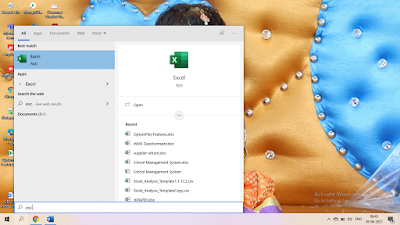
  • Open an empty excel spreadsheet. 
  • Navigate to Excel Options.

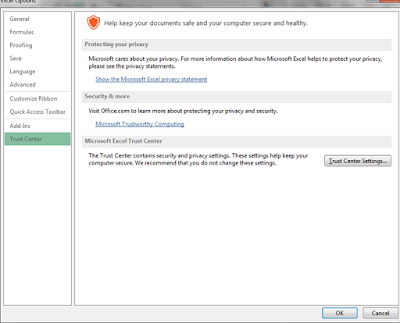
  • Click on Options. Navigate to Trust Center. 

  • Click on Trust Center Settings.
  • Navigate to Active X settings and make sure it looks like the below.

  • Navigate to Macro Settings and make sure it looks like this.


Step2: Check for Add-Ins

  • Navigate to Excel Options and click on Add-Ins and select Com Add-Ins as shown in below screenshot and select Go.


  • And check if Oracle ADF Desktop Integration Add-In for Excel and Smart View for Office are enabled.


  • Sometime Client IE Browsers may have a lot of security enabled to prevent attacks. If you want to consider moving the oraclecloud.com domain to the Trusted Sites area.

Step4: ADF Desktop Integration Setting Checker

  • Oracle Support has created a tool to check ADF Desktop Integration settings and is available as an exe. The exe should be downloaded and run and will list issues that can be resolved.
  • How to use ADF Desktop Integration Client Health Check Tool (Doc ID 2010222)


Tuesday, June 8, 2021

Payroll Interview Questions in Oracle Apps

  • What are the mandatory fields while creating Payroll?
    • Payroll Name
    • Period Type
    • Start Date
  • Define Elements?
    • Elements are the building blocks for earnings, deductions, etc. of a Payroll. 
    • It is a Data Structure which is used to hold information for both Human Resources and Payroll.
    • In Human Resources elements may represents compensation types including Earnings such as Salary, Hourly Wages and Bonuses.
    • In Payroll, elements constitute all the items in the Payroll run process.

  • What the Element can represent?
    • Earnings such as Salary, Wages & Bonuses
    • Benefits such as employee stock & pension plans
    • Non-Payroll items such as Expenses
    • Employer Taxes and other Liabilities.
    • Absences from work
    • Voluntary and In-Voluntary deductions

  • What are the Element Entry Concepts?
    • Recurring: Entries can exists over many Payroll periods
    • Non-Recurring: Entries are valid for single Payroll period only.
  • What are the types of Element Entry?
    • There are four types
      1. Normal Entry
      2. Override Entry
      3. Additional Entry
      4. Adjustment Entry
        • Additive Adjustment
        • Replacement Adjustment
        • Balance Adjustment

  • How can we add a new input value to an existing Element?
    • We can add an additional input values to an existing Element if the element has not been processed in a Payroll run and  the Effective data is the same date of creation of the Element.
  • What is Salary Basis ?
    • Salary basis is the duration on which the salary is reckoned. It is a rule to administer pay.

  • Define Quick Pay & Batch Processing?
    • When calculating pay, we can use either Quick Pay Process or Batch Process
    • Quick Pay Process which is for one employee.
    • Batch Process for all employees together.

  • What is Quick Pay/ Advance Pay/ Retro Pay?
    • QuickPay: 
      • QuickPay enables you to carry out payroll processing for individual employees. 
      • You can use QuickPay to pay employees who are leaving and who require payment immediately.
      • If an employee asks what their net pay will be this month, you can run QuickPay to find the answer, then roll it back to remove all results from the database.

    • Advance Pay:
      • The Advance Pay process enables you to pay employees in advance for holidays or other events. 
      • The process performs payroll runs for the periods to be advanced, using all date effective information in place, and stores the final net figure as the amount to be advanced.

    • Retro Pay: 
      • Payment for any previous cycle in the current payroll run

  • What is Retro Pay, Advance Pay & Absence Pay?
    • Retro Pay: Payment for any previous cycle in the current payroll run
    • Advance Pay: Payment for any future cycle/advance in the current payroll run
    • Absence Pay: Payment for leaves like sick leave, maternity leave, annual leave and other statutory leaves

  • Define Batch Element Entry?
    • This is an open interface specially designed for elements. With Batch Element Entry we can quickly incorporate mass updates in any specific elements.


Friday, May 21, 2021

Important Questions in Oracle Payables

  • Types of Invoices in Oracle Apps?
    • Standard
    • Prepayment
    • Expense Report
    • Mixed Invoice
    • Credit Invoice
    • Debit Invoice
  • What is Mixed Type Invoice in Oracle Apps?
    • Mixed Invoice is one of the Invoice Type in the Oracle Payables. 
    • You can enter both the Negative(-) and the Positive(+) amount for this Mixed Type Invoice. 
    • This Payment type is not rigid like Standard, Prepayment, Credit & Debit Memo Invoices to enter the amount in the specific signs (Positive or Negative).

  • Difference between the Manual Hold and the System Hold?
    • System Hold apply to the Invoice if something mismatched in the Invoice as per the Standard Process like Invoice Header Total and Line Total Should be equal other System Hold for Example related to Invoice Matching if something goes about the Invoice Tolerance Limit then System put the Hold. 
    • System hold is something related to setup Controls but whereas Manual Hold is something which put manually in the Invoice due to any reason like Product received from the Supplier is damaged so need to hold the Payment for that Invoice.
  • What is Pay alone in AP Invoice?
    • Pay alone is something related to Invoice Payment. 
    • This is the Flag we set for AP Invoice, it means this invoice will be paid alone. 
    • For example, Supplier XYZ has two Invoices, but for one Invoice we have enabled the Pay Alone Flag then when we will run the Payment Batch then System will create one check for one invoices and separate one check for Pay Alone Invoice. This is the working of Pay Alone.
  • Can we pay the AP invoice before Due Date?
    • Yes, we can pay the Invoice before Due date. 
    • For Manual Payment, there is no concern but for Payment Batch, when we are running the Payment Process Request((PPR) then we need to Enter the Pay Through Date this Date is Very Important, If we have set the Pay Through Date “15-Aug” then this Payment Request will pick only those AP invoices which has been due before “15-Aug-YYYY”.
  • How AP Invoice Payment Due Date Calculates in Oracle Payables?
    • Invoice Payment Due date depends on the two factors.
      • Payment Terms attached to the Invoice
      • Invoice Date.
    • For Example, if Payment Terms is 30 Days and the Invoice Date is 01-Aug-2020 then Payment Due Date Will be 01-Sep-2020
  • What is Primary and Secondary Ledger in Oracle Payables?
    • Primary Ledger is the main Ledger and Secondary Ledger is the replica of the Primary Ledger. 
    • Transactions will be done in the Primary Ledger. 
    • The main reason of using Primary and Secondary Ledger is the difference in the Organization requirement and the statuary requirement. 
    • For Ex, One US based company office is in India and as per US, their Calendar works from Oct to Sep but the in India their calendar works from April to March. So in this Kind of requirement, Primary and Secondary Ledger concept comes. Where we can design the Primary calendar as per the US based but can design the Secondary calendar as per India statuary requirement. 

  • What is Recurring Invoice in Oracle?
    • As its name represents ‘Recurring’. Recurring means again and again. If any Organization books the Office rent invoice every month for the same amount or any other fixed expenses every month then oracle has provided the Recurring Invoice. We just need to do the recurring Invoice setup for that amount and system will create the invoice automatically on the First day of the Months.
  • What is the use of Payables Trial Balance Report ?
    • Payables Trial Balance Report shows the Total Liability or the Supplier Outstanding in the System. 
    • This Report shows the Liability in the System supplier and Site Level. 
    • This Provide the Summary Information’s for all the Unpaid amount for the Supplier Invoices which are validated.
  • What we do in the AP and GL reconciliation ?
    • In the AP and GL reconciliation, we try to match the Total Liability from the Payables with the Liability accounts total in the GL. 
    • We have some set of Liability accounts in the Payables, which we only use in the Invoice Headers to book the Liability and we match only these Liability GL accounts in the AP and GL reconciliation report.
    • We took the help of Payables Trial Balance report to find the Total AP liability and then run the GL Trial Balance report to match the Payables Trial Balance Report Total with the GL trial Liability Accounts.
  • Distribution Set in Oracle Payables?
    • Distribution set is the combination of multiple Distribution lines using different -2 GL accounts Combination. 
    • For Example, we booked most of the AP invoices in two different GL accounts combination so each time we need to enter two lines in the invoice distributions to book the AP invoices expenses in these two GL accounts but this process can be make query quickly and easy. 
    • Oracle have functionality like Distributions set in Oracle Payables where we can any number of GL accounts line for a Given Distribution sets and then in the Oracle Payables Invoices we don’t need to create Distribution lines manually. 
    • We just need to enter the Distributions Set in the AP Invoice Lines and oracle system automatically creates the Invoice distribution lines with GL accounts given in the distribution set in Oracle Payables R12.

HRMS Assignment API in Oracle APPS

 PROCEDURE update_emp_asg

  (p_validate                     IN     BOOLEAN  DEFAULT FALSE

  ,p_effective_date               IN     DATE

  ,p_datetrack_update_mode        IN     VARCHAR2

  ,p_assignment_id                IN     NUMBER

  ,p_object_version_number        IN OUT NUMBER

  ,p_supervisor_id                IN     NUMBER   DEFAULT hr_api.g_number

  ,p_assignment_number            IN     VARCHAR2 DEFAULT hr_api.g_varchar2

  ,p_change_reason                IN     VARCHAR2 DEFAULT hr_api.g_varchar2

  ,p_comments                     IN     VARCHAR2 DEFAULT hr_api.g_varchar2

  ,p_date_probation_end           IN     DATE     DEFAULT hr_api.g_date

  ,p_default_code_comb_id         IN     NUMBER   DEFAULT hr_api.g_number

  ,p_frequency                    IN     VARCHAR2 DEFAULT hr_api.g_varchar2

  ,p_internal_address_line        IN     VARCHAR2 DEFAULT hr_api.g_varchar2

  ,p_manager_flag                 IN     VARCHAR2 DEFAULT hr_api.g_varchar2

  ,p_normal_hours                 IN     NUMBER   DEFAULT hr_api.g_number

  ,p_perf_review_period           IN     NUMBER   DEFAULT hr_api.g_number

  ,p_perf_review_period_frequency IN     VARCHAR2 DEFAULT hr_api.g_varchar2

  ,p_probation_period             IN     NUMBER   DEFAULT hr_api.g_number

  ,p_probation_unit               IN     VARCHAR2 DEFAULT hr_api.g_varchar2

  ,p_sal_review_period            IN     NUMBER   DEFAULT hr_api.g_number

  ,p_sal_review_period_frequency  IN     VARCHAR2 DEFAULT hr_api.g_varchar2

  ,p_set_of_books_id              IN     NUMBER   DEFAULT hr_api.g_number

  ,p_source_type                  IN     VARCHAR2 DEFAULT hr_api.g_varchar2

  ,p_time_normal_finish           IN     VARCHAR2 DEFAULT hr_api.g_varchar2

  ,p_time_normal_start            IN     VARCHAR2 DEFAULT hr_api.g_varchar2

  ,p_bargaining_unit_code         IN     VARCHAR2 DEFAULT hr_api.g_varchar2

  ,p_labour_union_member_flag     IN     VARCHAR2 DEFAULT hr_api.g_varchar2

  ,p_hourly_salaried_code         IN     VARCHAR2 DEFAULT hr_api.g_varchar2

  ,p_ass_attribute_category       IN     VARCHAR2 DEFAULT hr_api.g_varchar2

  ,p_ass_attribute1               IN     VARCHAR2 DEFAULT hr_api.g_varchar2

  ,p_ass_attribute2               IN     VARCHAR2 DEFAULT hr_api.g_varchar2

  ,p_ass_attribute3               IN     VARCHAR2 DEFAULT hr_api.g_varchar2

  ,p_ass_attribute4               IN     VARCHAR2 DEFAULT hr_api.g_varchar2

  ,p_ass_attribute5               IN     VARCHAR2 DEFAULT hr_api.g_varchar2

  ,p_ass_attribute6               IN     VARCHAR2 DEFAULT hr_api.g_varchar2

  ,p_ass_attribute7               IN     VARCHAR2 DEFAULT hr_api.g_varchar2

  ,p_ass_attribute8               IN     VARCHAR2 DEFAULT hr_api.g_varchar2

  ,p_ass_attribute9               IN     VARCHAR2 DEFAULT hr_api.g_varchar2

  ,p_ass_attribute10              IN     VARCHAR2 DEFAULT hr_api.g_varchar2

  ,p_ass_attribute11              IN     VARCHAR2 DEFAULT hr_api.g_varchar2

  ,p_ass_attribute12              IN     VARCHAR2 DEFAULT hr_api.g_varchar2

  ,p_ass_attribute13              IN     VARCHAR2 DEFAULT hr_api.g_varchar2

  ,p_ass_attribute14              IN     VARCHAR2 DEFAULT hr_api.g_varchar2

  ,p_ass_attribute15              IN     VARCHAR2 DEFAULT hr_api.g_varchar2

  ,p_ass_attribute16              IN     VARCHAR2 DEFAULT hr_api.g_varchar2

  ,p_ass_attribute17              IN     VARCHAR2 DEFAULT hr_api.g_varchar2

  ,p_ass_attribute18              IN     VARCHAR2 DEFAULT hr_api.g_varchar2

  ,p_ass_attribute19              IN     VARCHAR2 DEFAULT hr_api.g_varchar2

  ,p_ass_attribute20              IN     VARCHAR2 DEFAULT hr_api.g_varchar2

  ,p_ass_attribute21              IN     VARCHAR2 DEFAULT hr_api.g_varchar2

  ,p_ass_attribute22              IN     VARCHAR2 DEFAULT hr_api.g_varchar2

  ,p_ass_attribute23              IN     VARCHAR2 DEFAULT hr_api.g_varchar2

  ,p_ass_attribute24              IN     VARCHAR2 DEFAULT hr_api.g_varchar2

  ,p_ass_attribute25              IN     VARCHAR2 DEFAULT hr_api.g_varchar2

  ,p_ass_attribute26              IN     VARCHAR2 DEFAULT hr_api.g_varchar2

  ,p_ass_attribute27              IN     VARCHAR2 DEFAULT hr_api.g_varchar2

  ,p_ass_attribute28              IN     VARCHAR2 DEFAULT hr_api.g_varchar2

  ,p_ass_attribute29              IN     VARCHAR2 DEFAULT hr_api.g_varchar2

  ,p_ass_attribute30              IN     VARCHAR2 DEFAULT hr_api.g_varchar2

  ,p_title                        IN     VARCHAR2 DEFAULT hr_api.g_varchar2

  ,p_tax_unit                     IN     VARCHAR2 DEFAULT hr_api.g_varchar2

  ,p_timecard_approver            IN     VARCHAR2 DEFAULT hr_api.g_varchar2

  ,p_timecard_required            IN     VARCHAR2 DEFAULT hr_api.g_varchar2

  ,p_work_schedule                IN     VARCHAR2 DEFAULT hr_api.g_varchar2

  ,p_shift                        IN     VARCHAR2 DEFAULT hr_api.g_varchar2

  ,p_spouse_salary                IN     VARCHAR2 DEFAULT hr_api.g_varchar2

  ,p_legal_representative         IN     VARCHAR2 DEFAULT hr_api.g_varchar2

  ,p_wc_override_code             IN     VARCHAR2 DEFAULT hr_api.g_varchar2

  ,p_eeo_1_establishment          IN     VARCHAR2 DEFAULT hr_api.g_varchar2

  ,p_comment_id                   OUT NUMBER

  ,p_soft_coding_keyflex_id       OUT    NUMBER

  ,p_effective_start_date         OUT    DATE

  ,p_effective_end_date           OUT    DATE

  ,p_concatenated_segments           OUT VARCHAR2

  ,p_concat_segments              IN     VARCHAR2 DEFAULT hr_api.g_varchar2

  ,p_no_managers_warning             OUT BOOLEAN

  ,p_other_manager_warning           OUT BOOLEAN

  )

IS

  -- Declare cursors and local variables

  l_proc                       VARCHAR2(72) := g_package||'update_emp_asg';

  l_effective_date             DATE;

  l_legislation_code           per_business_groups.legislation_code%TYPE;


  CURSOR check_legislation

    (c_assignment_id  per_assignments_f.assignment_id%TYPE,

     c_effective_date DATE

    )

  IS

    SELECT bgp.legislation_code

      FROM per_assignments_f asg

          ,per_business_groups bgp

     WHERE asg.business_group_id = bgp.business_group_id

       AND asg.assignment_id = c_assignment_id

       AND c_effective_date BETWEEN effective_start_date AND effective_end_date;

  --

BEGIN

  -- Truncate date variables

  l_effective_date := TRUNC(p_effective_date);


  OPEN check_legislation(p_assignment_id, l_effective_date);

  FETCH check_legislation INTO l_legislation_code;

IF check_legislation%NOTFOUND THEN

CLOSE check_legislation;

--Print Error Message here

END IF;

  CLOSE check_legislation;


  -- Check that the legislation of the specified business group is 'US'.

  IF l_legislation_code <> 'US' THEN

    --Print Error Message here

  END IF;

  -- Call update_emp_asg business process


  hr_assignment_api.update_emp_asg

(p_validate                     => p_validate

,p_effective_date               => p_effective_date

,p_datetrack_update_mode        => p_datetrack_update_mode

,p_assignment_id                => p_assignment_id

,p_object_version_number        => p_object_version_number

,p_supervisor_id                => p_supervisor_id

,p_assignment_number            => p_assignment_number

,p_change_reason                => p_change_reason

,p_comments                     => p_comments

,p_date_probation_end           => p_date_probation_end

,p_default_code_comb_id         => p_default_code_comb_id

,p_frequency                    => p_frequency

,p_internal_address_line        => p_internal_address_line

,p_manager_flag                 => p_manager_flag

,p_normal_hours                 => p_normal_hours

,p_perf_review_period           => p_perf_review_period

,p_perf_review_period_frequency => p_perf_review_period_frequency

,p_probation_period             => p_probation_period

,p_probation_unit               => p_probation_unit

,p_sal_review_period            => p_sal_review_period

,p_sal_review_period_frequency  => p_sal_review_period_frequency

,p_set_of_books_id              => p_set_of_books_id

,p_source_type                  => p_source_type

,p_time_normal_finish           => p_time_normal_finish

,p_time_normal_start            => p_time_normal_start

,p_bargaining_unit_code         => p_bargaining_unit_code

,p_labour_union_member_flag     => p_labour_union_member_flag

,p_hourly_salaried_code         => p_hourly_salaried_code

,p_ass_attribute_category       => p_ass_attribute_category

,p_ass_attribute1               => p_ass_attribute1

,p_ass_attribute2               => p_ass_attribute2

,p_ass_attribute3               => p_ass_attribute3

,p_ass_attribute4               => p_ass_attribute4

,p_ass_attribute5               => p_ass_attribute5

,p_ass_attribute6               => p_ass_attribute6

,p_ass_attribute7               => p_ass_attribute7

,p_ass_attribute8               => p_ass_attribute8

,p_ass_attribute9               => p_ass_attribute9

,p_ass_attribute10              => p_ass_attribute10

,p_ass_attribute11              => p_ass_attribute11

,p_ass_attribute12              => p_ass_attribute12

,p_ass_attribute13              => p_ass_attribute13

,p_ass_attribute14              => p_ass_attribute14

,p_ass_attribute15              => p_ass_attribute15

,p_ass_attribute16              => p_ass_attribute16

,p_ass_attribute17              => p_ass_attribute17

,p_ass_attribute18              => p_ass_attribute18

,p_ass_attribute19              => p_ass_attribute19

,p_ass_attribute20              => p_ass_attribute20

,p_ass_attribute21              => p_ass_attribute21

,p_ass_attribute22              => p_ass_attribute22

,p_ass_attribute23              => p_ass_attribute23

,p_ass_attribute24              => p_ass_attribute24

,p_ass_attribute25              => p_ass_attribute25

,p_ass_attribute26              => p_ass_attribute26

,p_ass_attribute27              => p_ass_attribute27

,p_ass_attribute28              => p_ass_attribute28

,p_ass_attribute29              => p_ass_attribute29

,p_ass_attribute30              => p_ass_attribute30

,p_title                        => p_title

,p_segment1                     => p_tax_unit

,p_segment2                     => p_timecard_approver

,p_segment3                     => p_timecard_required

,p_segment4                     => p_work_schedule

,p_segment5                     => p_shift

,p_segment6                     => p_spouse_salary

,p_segment7                     => p_legal_representative

,p_segment8                     => p_wc_override_code

,p_segment9                     => p_eeo_1_establishment

,p_soft_coding_keyflex_id       => p_soft_coding_keyflex_id

,p_comment_id                   => p_comment_id

,p_effective_start_date         => p_effective_start_date

,p_effective_end_date           => p_effective_end_date

,p_concatenated_segments        => p_concatenated_segments

,p_concat_segments              => p_concat_segments

,p_no_managers_warning          => p_no_managers_warning

,p_other_manager_warning        => p_other_manager_warning

);

END update_emp_asg;

15 commonly asked SQL & PL/SQL Interview Questions in Oracle

  1. Difference between TRUNCATE and DELETE?
  2. Difference between DECODE and CASE?
  3. What is RANK and DENSE RANK?
  4. What is cursor and its attributes?
  5. What is BULK COLLECT and how does it work?
  6. Difference between various Collection Types?
  7. What are the various ways to do the Exception Handling in Oracle?
  8. Few performance tuning techniques?
  9. What is the use of Index, its types and how does indexes help in performance improvement?
  10. Describe the Triggers and its types with example?
  11. What is View and Materialized view?
  12. Describe ref cursor using example?
  13. How does queries execute in Oracle? Describe the process of it’s execution?
  14. What would you check if the query is running long than expected?
  15. What is Mutating Trigger?


Saturday, May 15, 2021

dbms_trace in Oracle

  • dbms_trace provides subprograms to start and stop PL/SQL tracing in a session. The trace data is collected as the program executes, and it is written out to data dictionary tables.
  • set_plsql_trace: This procedure starts tracing data dumping in a session. Provide the trace level at which you want your PL/SQL code traced as an IN parameter.
  • clear_plsql_trace: This procedure stops trace data dumping in a session.
  • plsql_trace_version: This procedure returns the version number of the trace package as an OUT parameter
  • A typical trace session involves:
    • Enabling specific subprograms for trace data collection. This is optional.
    • Starting the PL/SQL tracing session dbms_trace.set_plsql_trace
    • Running the application that is to be traced
    • Stopping the PL/SQL tracing session dbms_trace.clear_plsql_trace
  • Specifying a Trace Level: During the trace session, there are 2 levels that you can specify to trace calls, exceptions, SQL, and lines of code.
    • Trace Calls
      • Level 1: Trace all calls. This corresponds to the constant trace_all_calls.
      • Level 2: Trace calls only to enabled program units. This corresponds to the constant trace_enabled_calls.
    • Trace Exceptions:
      • Level 1: Trace all exceptions. This corresponds to trace_all_exceptions.
      • Level 2: Trace exceptions raised only in enabled program units. This corresponds to trace_enabled_exceptions.
    • Trace SQL:
      • Level 1: Trace all SQL. This corresponds to the constant trace_all_sql.
      • Level 2: Trace SQL in only enabled program units. This corresponds to the constant trace_enabled_sql.
    • Trace Lines:
      • Level 1: Trace all lines. This corresponds to the constant trace_all_lines.
      • Level 2: Trace lines only in enabled program units. This corresponds to the constant trace_enabled_lines.

  • Steps to Trace PL/SQL Code:
    • There are five steps to trace PL/SQL code using the dbms_trace package:
      • Enable specific program units for trace data collection.
      • Use dbms_trace.set_plsql_trace to identify a trace level.
      • Run your PL/SQL code.
      • Use dbms_trace.clear_plsql_trace to stop tracing data.
      • Read and interpret the trace information.

Friday, May 14, 2021

DBMS_DESCRIBE in Oracle

DBMS_DESCRIBE: DBMS_DESCRIBE is the Oracle-supplied package to obtain information about a PL/SQL object. The package contains the DESCRIBE_PROCEDURE procedure, which provides a brief description of a PL/SQL stored procedure. It takes the name of a stored procedure and returns information about each parameter of that procedure.

ALL_DEPENDENCIES in Oracle

ALL_DEPENDENCIES: Is one of the several views that give you information about the dependencies between database objects.

ALL_PROCEDURES in Oracle

ALL_PROCEDURES: Contains the list of procedures and functions that you can execute

ALL_ARGUMENTS in Oracle

ALL_ARGUMENTS: Includes information about the parameters for the procedures and functions that you can call.

ALL_SOURCE in oracle

ALL_SOURCE: Includes the lines of source code for all programs that you modify.

SQL Query Result Cache in Oracle

  • SQL Query Result Cache can improve the performance of your queries by caching the results of a query in memory, and then using the cached results in future executions of the query or query fragments. 
  • The cached results reside in the result cache memory portion of the SGA. 
  • This feature is designed to speed up query execution on systems with large memories.
  • SQL result caching is useful when queries need to analyze a large number of rows to return a small number of rows or a single row.
  • Two new optimizer hints are available to turn on and turn off SQL result caching:
    • /*+ result_cache */
    • /*+ no_result_cache */
  • These hints enable you to override the settings of the RESULT_CACHE_MODE initialization parameter.
  • You can execute DBMS_RESULT_CACHE.MEMORY_REPORT to produce a memory usage report of the result cache.

DBMS_RESULT_CACHE package in Oracle

  • The DBMS_RESULT_CACHE package provides an interface for a DBA to manage memory allocation for SQL query result cache and the PL/SQL function result cache. It is used to perform various operations such as bypassing the cache, retrieving statistics on the cache memory usage, and flushing the cache. To view the memory allocation statistics, use dbms_result_cache.memory_report. 


DBMS_ASSERT in Oracle

  • DBMS_ASSERT is an Oracle-supplied PL/SQL package containing seven functions that can be used to filter and sanitize input strings, particularly those that are meant to be used as Oracle identifiers.
    • NOOP: NOOP does not perform any validation and returns the string unchanged. Allows developers to mark some data as trusted, and thereby, disable some SQL injection checks in the source scanning tools. Avoid using this function unless approved by the product security compliance team. 
    • ENQUOTE_LITERAL: ENQUOTE_LITERAL encloses string literal in single quotes
    • ENQUOTE_NAME: ENQUOTE_NAME encloses string literal in double quotes
    • SIMPLE_SQL_NAME: SIMPLE_SQL_NAME verifies that the string is a simple SQL name
    • QUALIFIED_SQL_NAME: QUALIFIED_SQL_NAME verifies that the string is a qualified SQL name
    • SCHEMA_NAME: SCHEMA_NAME verifies that the string is an existing schema name
    • SQL_OBJECT_NAME: SQL_OBJECT_NAME verifies that the string is a qualified identifier of an existing SQL object
  • While two of these functions can be used to filter and sanitize any input strings, the majority of them are specifically crafted to validate Oracle identifiers. These are the ENQUOTE_LITERAL and the ENQUOTE_NAME functions. The other functions either do nothing i.e. the NOOP function or return the input string unchanged if the verification algorithm does not raise any exceptions.
  • When using the DBMS_ASSERT package, always specify the SYS schema rather than relying on a public synonym.

SQL Injection in Oracle

  • SQL Injection is a technique for maliciously exploiting applications that use client-supplied data in SQL statements.
  • Attackers trick the SQL engine into executing unintended commands via supplying specially crafted string input, thereby gaining unauthorized access to a database in order to view or manipulate restricted data.
  • SQL Injection techniques may differ, but they all exploit a single vulnerability in the application.
  • String literals that are incorrectly validated or not validated are concatenated into a dynamic SQL statement and interpreted as code by the SQL engine.
  • To immunize your code against SQL injection attacks, you must use bind arguments i.e. either automatically with static SQL, or explicitly with dynamic SQL or validate all input concatenated to dynamic SQL.
  • A program or an application may be vulnerable to SQL Injection
  • Web applications are at a higher risk, because an attacker can perpetrate SQL injection attacks without any database or application authentication.

Large Object(LOB) in Oracle

  • A LOB is a data type that is used to store large, unstructured data such as Text(CLOB), Graphic Images(BLOB), Video Clippings(BFILE),..etc. Structured data, such as a customer record, may be a few hundred bytes large, but even small amounts of multimedia data can be thousands of times larger. 
  • Also, multimedia data may reside in operating system (OS) files, which may need to be accessed from a database.
  • There are four large object data types:
    • BLOB: BLOB represents a binary large object, such as a video clip.
    • CLOB: CLOB represents a character large object.
    • NCLOB: NCLOB represents a multiple-byte character large object.
    • BFILE: BFILE represents a binary file stored in an OS binary file outside the database. The BFILE column or attribute stores a file locator that points to the external file.
  • LOBs are characterized in two ways, according to their interpretations by the Oracle server i.e. binary or character and their storage aspects. 
  • LOBs can be stored internally i.e. inside the database or in host files. 
  • There are two categories of LOBs:
    • Internal LOBs (CLOB, NCLOB, BLOB): Stored in the database
    • External files (BFILE): Stored outside the database
  • Oracle Database 10g performs implicit conversion between CLOB and VARCHAR2 data types.

  • The other implicit conversions between LOBs are not possible. For Ex:, if the user creates a table XYZ with a CLOB column and a table ABC with a BLOB column, the data is not directly transferable between these two columns.
  • BFILEs can be accessed only in read-only mode from an Oracle server.
  • There are two parts to a LOB:
    • LOB value: The data that constitutes the real object being stored
    • LOB locator: A pointer to the location of the LOB value that is stored in the database
  • Irrespective of where the LOB value is stored, a locator is stored in the row. We can think of a LOB locator as a pointer to the actual location of the LOB value.
  • A LOB column does not contain the data; it contains the locator of the LOB value.
  • When a user creates an internal LOB, the value is stored in the LOB segment and a locator to the
  • out-of-line LOB value is placed in the LOB column of the corresponding row in the table.
  • External LOBs store the data outside the database, so only a locator to the LOB value is stored in the table.
  • To access and manipulate LOBs without SQL data manipulation language (DML), we have to create a LOB locator. The programmatic interfaces operate on the LOB values by using these locators in a manner similar to OS file handles.

Tuesday, May 11, 2021

Components of Fusion Accounting Hub

Oracle Fusion Sub Ledger Accounting to perform accounting transformations on external system data

  • Oracle Fusion General Ledger
  • Oracle Fusion Financial Reporting Center
  • Integration with Oracle Hyperion Data Management, Fusion Edition for chart of accounts and hierarchy maintenance
  • Applications coexistence integration with the Oracle E-Business Suite and Oracle PeopleSoft General Ledgers
  • Integration with Oracle Hyperion Planning, Fusion Edition and Oracle Hyperion Financial Management, Fusion Edition.

Technology Stack of Fusion Application

Following table shows different components which varies from Oracle e-Business Suite to Oracle Fusion Applications. 

Component

Oracle e-Business Suite

Oracle Fusion Applications

Database

Oracle Database 10g

Oracle Database 11g

Application Server

Oracle Application Server

10.1.2 (Forms)

Oracle Application  Server

10.1.3 (OC4J)

Oracle WebLogic

User Interface

Forms, JSPs

Oracle ADF + ADF

Java Server Faces

Portal

Oracle Portal

Oracle Webcenter

Data Model

Oracle eBS Data Model

Oracle eBS Data Model +

Siebel + PoepleSoft

(Trees, Data Effectivity, person Model)

Attachments/Imaging

BLOBs

UCM/Stellant

Workflow/Approval

PL/SQL

BPEL

Reports

Reports (11i), Discoverer

BI Publisher

Analytics

Discoverer

OBIEE

Financial Reporting

Financial Statement Generator

Hyperion

Integration

AIA

AIA + BPEL +

More web services

XML Gateway

XML Gateway

BPEL, B2B Adapter


APEX$TASK_PK

  APEX$TASK_PK is a substitution string holding the primary key value of the system of records